
Reclaiming Your Restaurant's Digital Identity: A Simple Guide to Moving Your Domain from an EPOS Provider
You signed up with an online ordering system a few years back. They sorted your website, your domain, and your menu, all in one neat package.
Now you want to move on. But there's a problem.
Your domain name, the web address your customers type in to find you, is still tied into your provider’s administrative management. You can’t seem to get access to it, and every conversation about domains, logins, and “who controls what” ends in confusion.
Here's the good news: you almost certainly can reclaim your domain. It's rarely a legal issue. It's usually just a technical one.
This guide will walk you through exactly how to do it.
Why This Happens in the First Place
When you signed up with your EPOS or online ordering provider, they likely registered a domain name on your behalf.
For many restaurants, this is genuinely helpful. It bundles the website, ordering, and domain into one place so you don’t have to manage technical details.
The trade-off is simple: the domain may be registered in the provider’s name, or managed under their registrar account, rather than yours.
That doesn’t mean anything “dodgy” is happening. It just means you’ll need a few extra steps to get full administrative autonomy and move it elsewhere.
It’s Usually “Bundled Services”, Not a Legal Trap
Let’s clear something up straight away.
In most cases, your domain isn’t legally trapped. It’s just part of a bundled setup where the provider handles the admin to keep things simple.
The real barrier is access and clarity. You may not have been told who the registrant is, where the domain is held, or which login controls it.
Once you understand the process, you can take control in a calm, routine way and future-proof your setup.
Step 1: Find Out Who Actually Owns Your Domain
Before you do anything else, you need to check who the domain is registered to.
You can do this using a WHOIS lookup. This is a free, public database that shows registration details for any domain.
For .ie domains (Irish domains):
Head to WEARE (.ie) at
www.weare.ie and use their WHOIS search tool.
For .com, .net, or other international domains:
Use a tool like
lookup.icann.org or
who.is.
What you're looking for:
- Registrant Name – This should ideally be you or your business.
- Registrar – The company that manages the domain (e.g., Blacknight, GoDaddy, Register365).
If your business name appears as the registrant, you’re in a strong position.
If it shows your EPOS/ordering provider, don’t panic. Many providers register domains as a convenience. You can still request an ownership update or transfer so you’re not dependent on one vendor long-term.

Step 2: Understand the Difference Between .ie and .com Domains
This matters more than you might think, especially in Ireland.
.ie domains are managed by WEARE (.ie). They have specific rules about ownership and transfer that protect Irish businesses.
If you're the rightful owner of a .ie domain but can't access it, you can contact WEARE (.ie) directly. They take disputes seriously and can help you regain control.
.com domains (and other international extensions) are managed by private registrars. The process is a bit different, but still very achievable.
The key difference: .ie domains have an extra layer of protection because WEARE (.ie) verifies Irish business connections during registration.
Step 3: Request Your Auth-Code (EPP Code)
This is the transfer key you’ll need.
An Auth-Code (also called an EPP code or transfer key) is a unique password that allows a domain to move from one registrar to another.
In a bundled setup, your provider may be the one who can generate it, because they manage the registrar account.
Here's what to do:
- Contact your current EPOS provider in writing (email is best for a paper trail).
- Request the Auth-Code for your domain.
- Be clear and polite, and say you want to manage the domain under your own admin going forward.
Most providers will help once the request reaches the right team. It may take a few days, especially if domains aren’t their day-to-day focus.
Keep your request simple:
> "Hi, I'd like to transfer my domain [yourdomain.ie] to a new registrar. Could you please provide the Auth-Code/EPP code at your earliest convenience? Thanks."
Step 4: What If They Don't Respond?
Sometimes providers go quiet. It happens, especially when domains are handled as part of a bundled service and not a core support queue.
If you've waited a reasonable amount of time (7–14 days) and heard nothing, you have options.
For .ie domains:
Contact WEARE (.ie) directly and explain the situation. Email
registrations@weare.ie or use their contact form:
https://www.weare.ie/contact-us/.
Share anything that proves your connection to the domain (business registration, invoices, or past emails). If needed, the Alternative Dispute Resolution Process (ADRP) is a great tool for Irish SMEs to regain administrative control.
For .com and other domains:
Contact the registrar listed in the WHOIS record. Explain that you're the rightful owner and that your current provider is unresponsive.
Most registrars have dispute resolution processes. Be patient but persistent.
Step 5: Transfer to Your New Home
Once you have the Auth-Code, the hard part is over.
Now you simply:
- Choose a new registrar or web agency to manage your domain.
- Initiate a domain transfer through their platform.
- Enter your Auth-Code when prompted.
- Approve the transfer via email (you'll receive a confirmation link).
The transfer typically takes 24–72 hours for .ie domains and up to 5–7 days for .com domains.
After that, your domain is yours to control. You can point it to any website, any hosting provider, or any agency you like.
A Visual Overview: The Domain Transfer Process
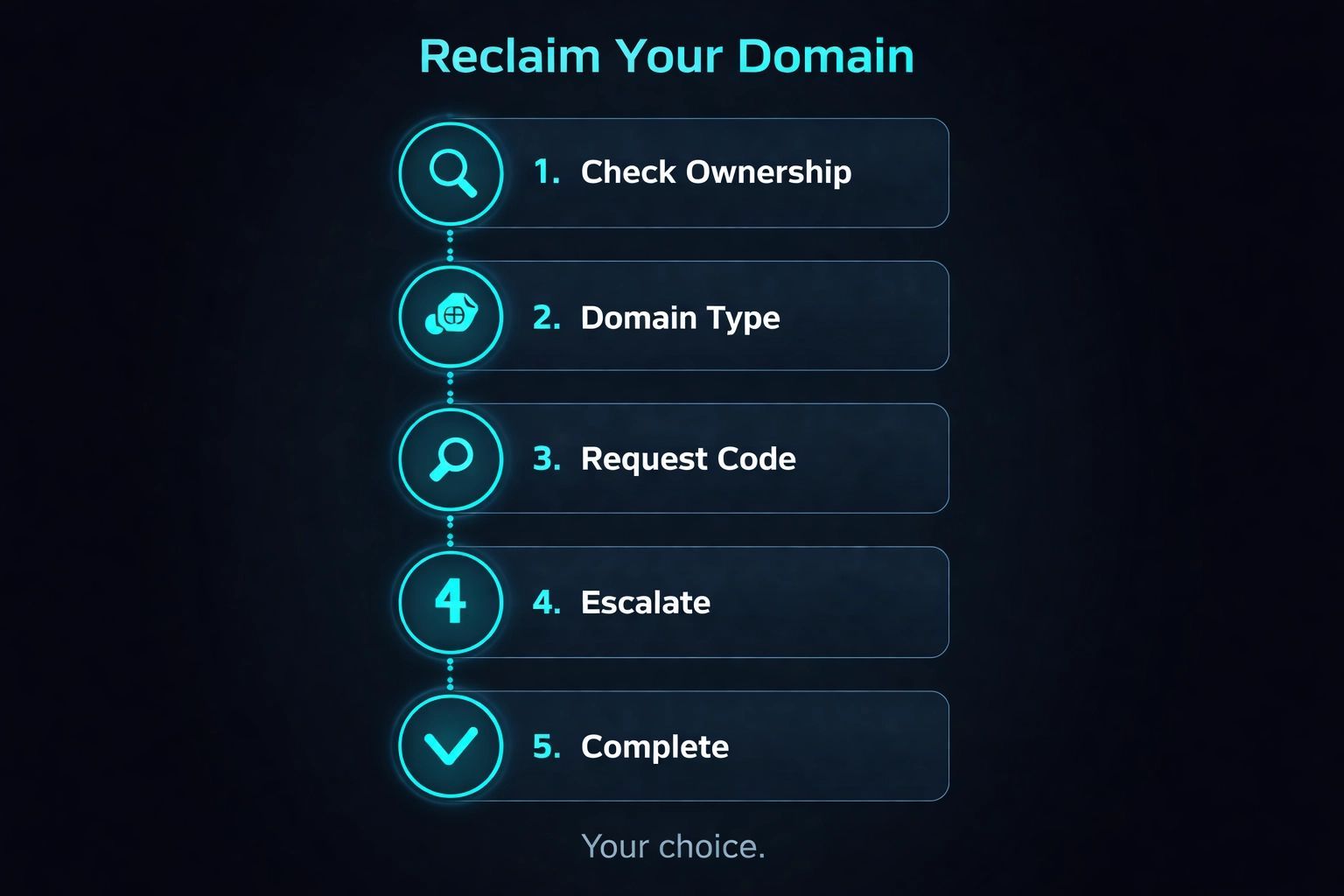
Step-by-step visual guide (matches the infographic):
- Check Ownership
Run a WHOIS lookup and confirm who the registrant is. - Know Your Domain Type
Check if you’re dealing with a .ie domain (through .IE/IEDR) or a .com (through a private registrar). - Request the Auth-Code
Email your provider and ask for the Auth-Code/EPP code so you can move the domain. - Escalate If Needed
If you get no reply, escalate to .IE/IEDR (for .ie) or the registrar listed in WHOIS (for .com). - Complete the Transfer
Start the transfer with your new registrar, enter the code, and approve the confirmation email.
Your domain. Your business. Your choice.
What Happens to Your Website?
Transferring a domain doesn’t automatically transfer your website content.
Your current site (menus, images, ordering system) is likely hosted separately by your EPOS provider as part of their bundled service.
Once the domain is in your control, you can:
- Point it to a new website with any provider you choose.
- Set up a simple landing page while you transition.
- Connect it to a different ordering platform if you ever decide to switch.
The key point: administrative autonomy over your domain gives you flexibility. It helps you future-proof your online presence without having to rebuild everything overnight.
Quick Tips for a Smooth Transfer
- Keep records. Save every email and note every phone call.
- Don't let your domain expire. If it's due for renewal soon, pay it: even if you're planning to leave.
- Unlock before transferring. Some domains have a "transfer lock" that needs to be disabled first.
- Be patient but firm. Most issues are resolved within a few weeks.
You Have More Control Than You Think
Your domain name is part of your brand. It’s how customers find you, remember you, and return to you.
If your domain is currently managed through an EPOS bundle, that doesn’t mean you made a bad choice. It usually just means the admin sits with the provider.
The process to move it into your own control isn’t complicated. It just requires the right steps, and now you have them.
A good next step is simple: check your WHOIS record, then ask for the Auth-Code so your business is future-proofed if you ever need to change provider.